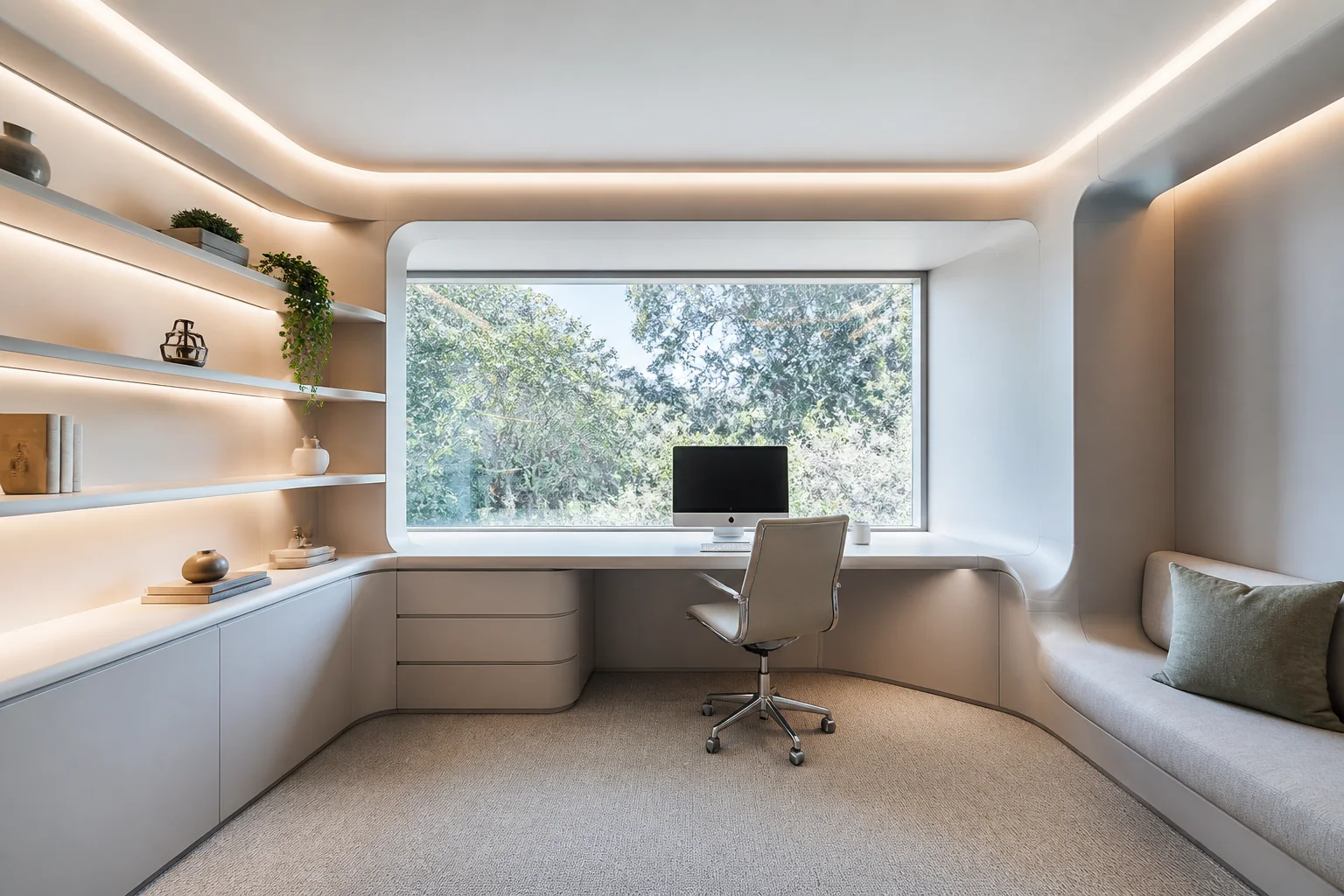
Futuristic home office remodel
Seamless surfaces, hidden everything, light as the material. What that means for a home office remodel — what changes, the palette, the dimensions worth checking — and how to try it on a photo of your own room.
What the work actually covers
A home office remodel is joinery plus a lighting plan. The desk becomes part of the wall, the storage goes vertical, and — since half the room's job is now being a background — the wall behind the chair gets as much thought as the one in front of it. Taken in Futuristic, the elements on the list — built-in desk and returns, shelving to ceiling, cable management, task and background lighting — are the ones carrying the look, and junction detailing and integrated light. a visible seam or a standard switch plate ends the illusion.
Making a home office remodel read as Futuristic
Futuristic interiors depend on continuity: coved junctions, no visible fixings, backlit planes and monolithic surfaces. It is almost entirely a construction problem, since the effect collapses the moment a joint or a switch becomes visible. Against a home office remodel that means the pieces doing the visible work are handleless full-height storage, curved built-in seating, integrated led cove lighting, sitting inside whatever the layout already demands.
Palette and materials
Futuristic holds a narrow range: Optic White, Vapour, Titanium, Signal Cyan, Void, with materials running to seamless solid surface, backlit acrylic, brushed aluminium, high-gloss lacquer. On a home office remodel the discipline matters most wherever the largest uninterrupted surface is — keep that inside the range and every smaller decision gets easier.
Dimensions that do not move
A style choice never overrides the geometry. Whatever the finishes, the work still has to hold: A built-in desk wants 28–30in of depth for a monitor at a comfortable distance. Allow 36in behind the desk for the chair to roll back. Set the desk at 29–30in; a counter-height run at 36in is a standing desk, not a sitting one.
Lighting
The lighting is the design — indirect, coloured, integrated into every plane. Three jobs: task light on the desk surface, a soft frontal source at face height for calls, and something on the back wall so the video background has depth. A downlight overhead does none of these and creates screen glare.
Where it usually goes wrong
The style breaks on visible cables and sockets, traditional materials, warm clutter. Independent of any style, this project is most often let down by the desk facing a window, so the camera exposes for the light and the face goes dark. shelving stopped at picture height, wasting the most useful storage in the room.
If the space is tight
In an alcove under 6ft wide, run the desk the full width and take the shelving to the ceiling above it. A freestanding desk in a small office wastes the two inches at each end that make it feel built-in. Junction detailing and integrated light. A visible seam or a standard switch plate ends the illusion.
Questions
- Does Futuristic work for a small home office?
- In an alcove under 6ft wide, run the desk the full width and take the shelving to the ceiling above it. A freestanding desk in a small office wastes the two inches at each end that make it feel built-in. Futuristic is helped by that, since seamless surfaces, hidden everything, light as the material.
- Which surface matters most in a futuristic home office?
- Junction detailing and integrated light. A visible seam or a standard switch plate ends the illusion.
- Can I see this on my own home office?
- Yes. Upload a photo of the room and the Studio remodels it in Futuristic. New accounts get 4 credits and a Standard run costs 4, so there is a full render before anything is paid for.
- What ruins a futuristic scheme?
- Usually visible cables and sockets and traditional materials.